Workspace Settings
Configure agency-wide working hours, notification routing, gamification coin rates, time tracking rules, and external integrations in one central hub.
app.syncupp.com
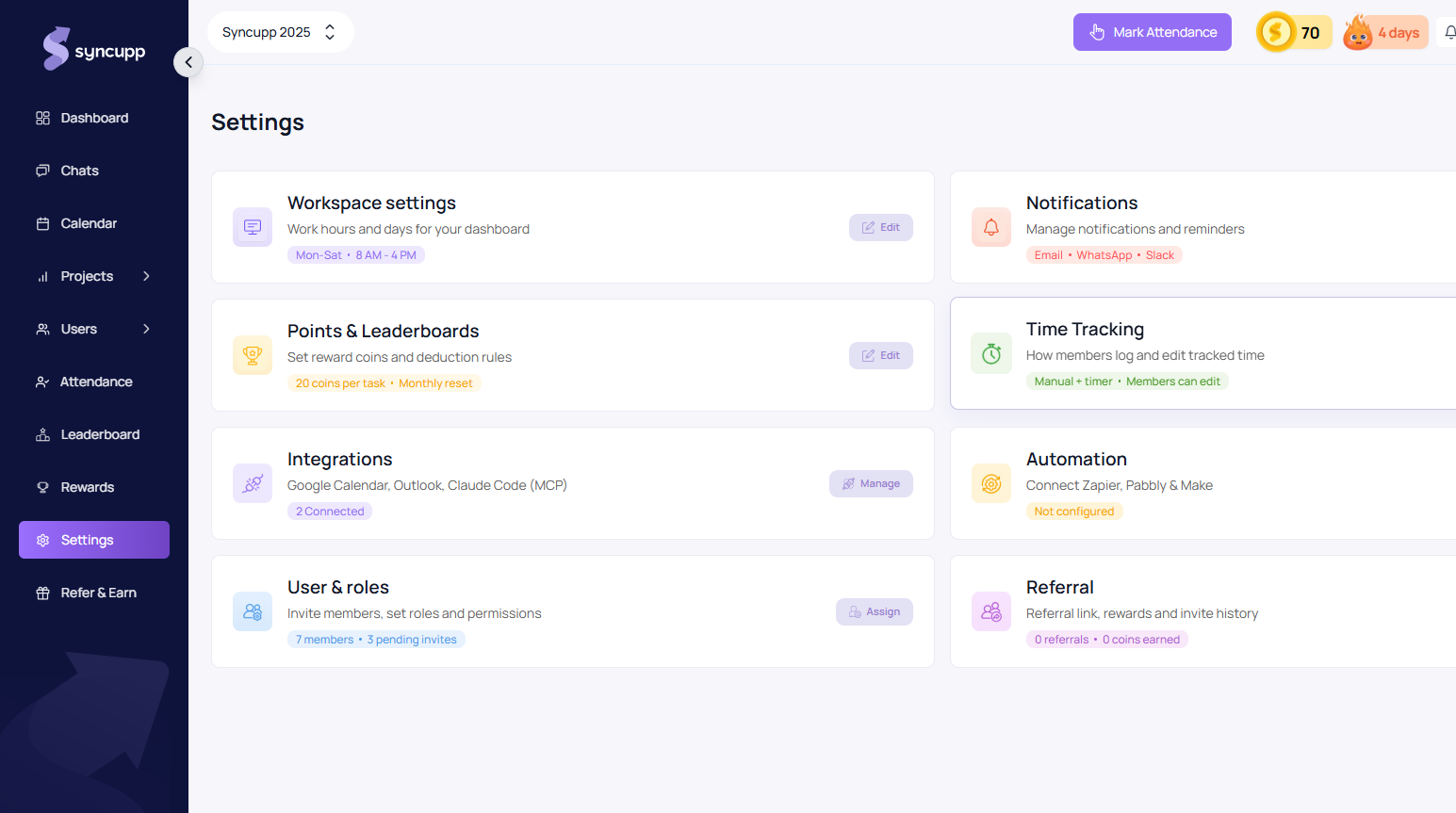
Core Settings Modules
Access your organization configuration at app.syncupp.com/syncupp-2025/settings (opens in a new tab):
1. Workspace Schedule & Operating Hours
- Default Schedule: Define your team's standard working days and daily operational hours (e.g., Mon–Sat, 8:00 AM – 4:00 PM).
- Attendance Alignment: Working hours dictate late punch thresholds, attendance warnings, and daily streaks.
2. Notifications & Alert Routing
- Multi-Channel Dispatch: Control where automated reminders and project events get routed:
- Email: Sprint summaries, task mentions, and invitation links.
- WhatsApp: Direct real-time client alerts and critical overdue escalations.
- Slack: Team channels and internal updates.
3. Points & Leaderboards (Gamification Rules)
- Task Rewards: Customize the exact number of coins credited when deliverables finish on time (default: 20 coins per task).
- Reset Intervals: Configure streak resets and monthly Hall of Fame leaderboard cycles.
4. Time Tracking Controls
- Tracking Modes: Toggle between Manual entry, Live stopwatch timer, or both.
- Teammate Edit Permissions: Authorize whether team members can edit past time logs or require admin approval.
5. Integrations & Connected Apps
- Productivity Sync: Connect Google Calendar and Outlook for bi-directional meeting and deadline sync.
- AI & MCP: Integrate Claude Code / MCP Servers for automated workspace queries and triage.
6. Automation & Webhooks
- No-Code Bridges: Connect Zapier, Make (Integromat), and Pabbly Connect to trigger custom workflows on task updates.
7. Users, Teams & Roles
- Direct access to invite staff, audit active seat quotas (e.g., 7 active members, 3 pending invites), and assign custom permission tiers.
8. Affiliate & Referral Portal
- Monitor your agency's referral links, track registered invites, and audit 20% recurring commission credits.