Roles & Permission Sets
Fine-grained access control ensures your team only sees and edits what they should across projects, attendance, and workspace settings.
app.syncupp.com
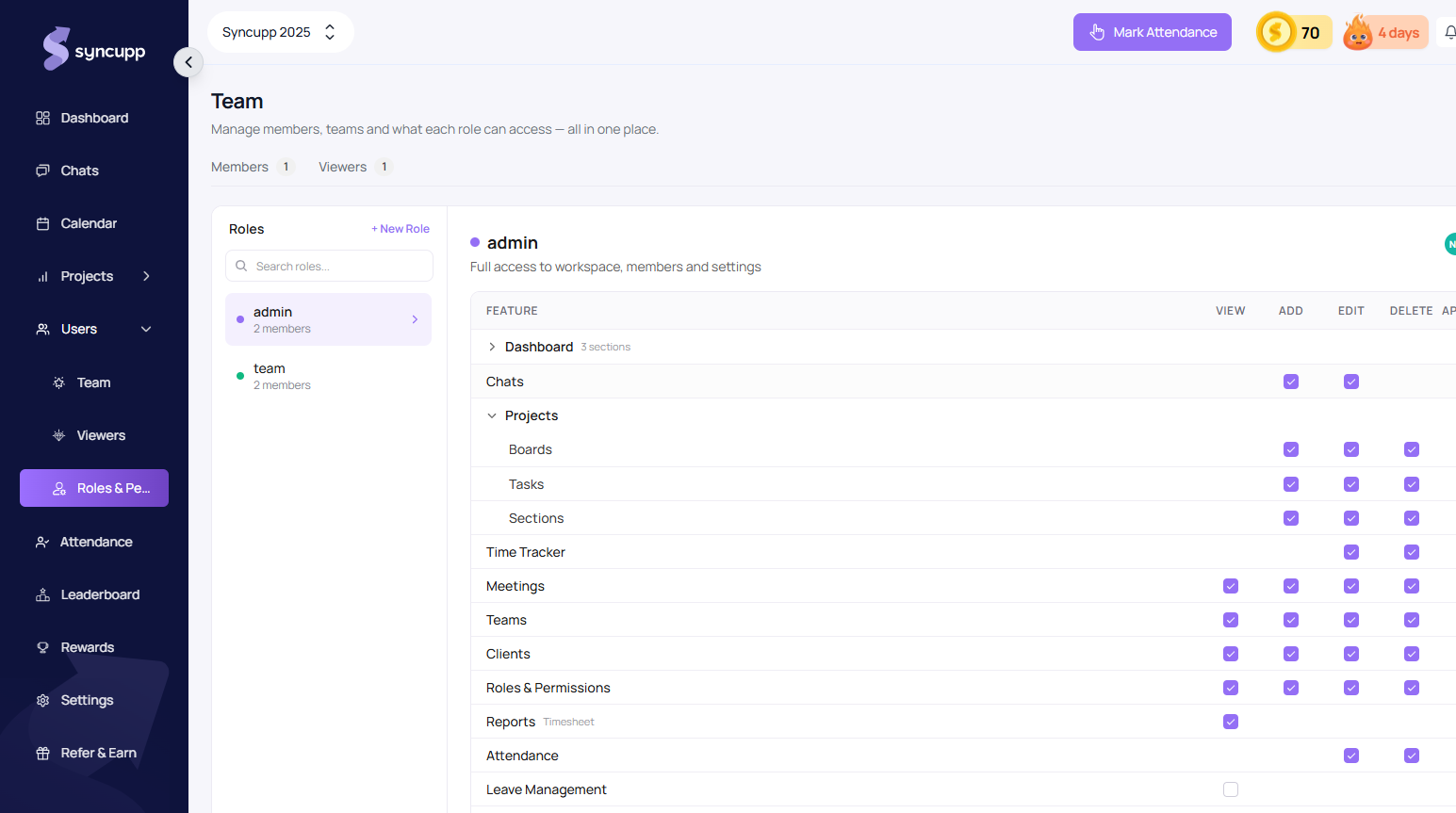
System Roles & Scopes
Every member in your agency belongs to a defined role that dictates their visibility and edit capabilities:
- Super Admin: Workspace owner. Complete access to billing, payment gateways, organization settings, team seats, and all private boards.
- Admin: Full access to workspace assets, team members, leave approvals, and project configuration.
- Team: Operational staff. Granularly restricted between Own (items and tasks they created/are assigned to) and Everyone (workspace-wide resources).
- Viewers: Free client accounts with view-only permissions on explicitly shared projects and review deliverables.
Creating & Customizing Roles
Customize granular permissions at app.syncupp.com/syncupp-2025/roles-permissions (opens in a new tab):
- Navigate to Team → Roles & Permissions.
- Click + New Role or Add Role in the top bar.
- Specify a descriptive role title (e.g., Junior Designer, External Contractor, Account Executive).
- For each operational module, choose between:
- Own: Teammates can only interact with tasks, attendance logs, and files they authored or are assigned to.
- Everyone: Teammates have full collaborative visibility across all workspace deliverables.
- Click Manage Members to reassign teammates between roles.
- Click Save Changes — permissions update immediately across all active sessions.