Kanban Boards & Sections
Syncupp Boards provide an intuitive, drag-and-drop workspace for managing project workflows.
Project Overview
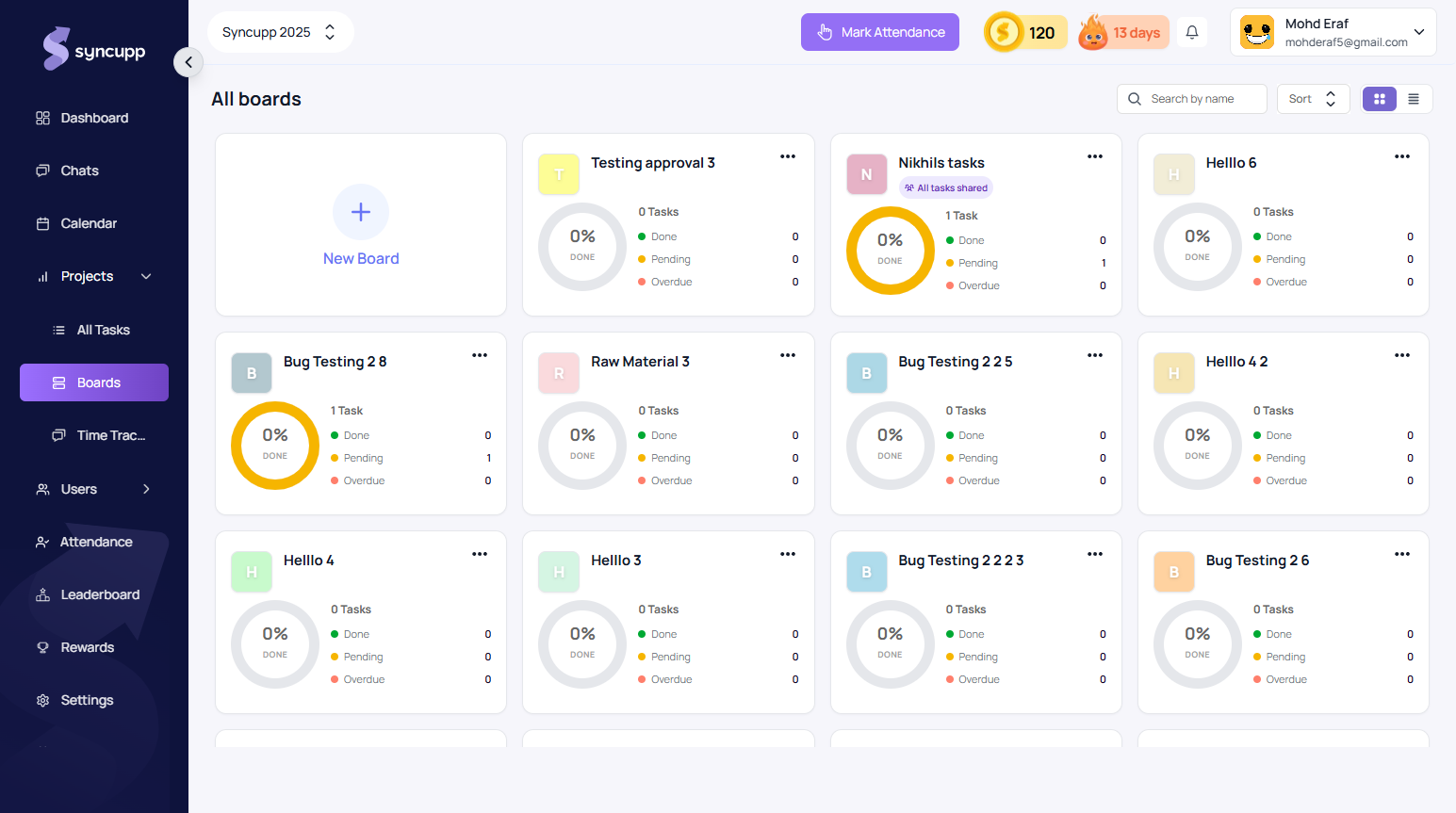
Navigate to Projects → Boards to browse all active, at-risk, and completed boards:
app.syncupp.com
Inside a Kanban Board
Click into any project board (e.g. July Development board or Design) to open the live drag-and-drop workspace:
app.syncupp.com
- Board Sections: Lifecycle columns include Backlog, In Progress, Code Review, Testing, Deployed, Completed, and Archive.
- Add Section: Click + New section to introduce custom review gates.
- Task Drawer: Click any card to set assignees, due dates, file attachments, and checklists.
- Looped-In Followers: Add stakeholders or clients as followers so they receive real-time task notifications without impacting their leaderboard points.
Board List View
Switch between visual cards and a detailed table layout using the List / Board switch in the top toolbar:
app.syncupp.com
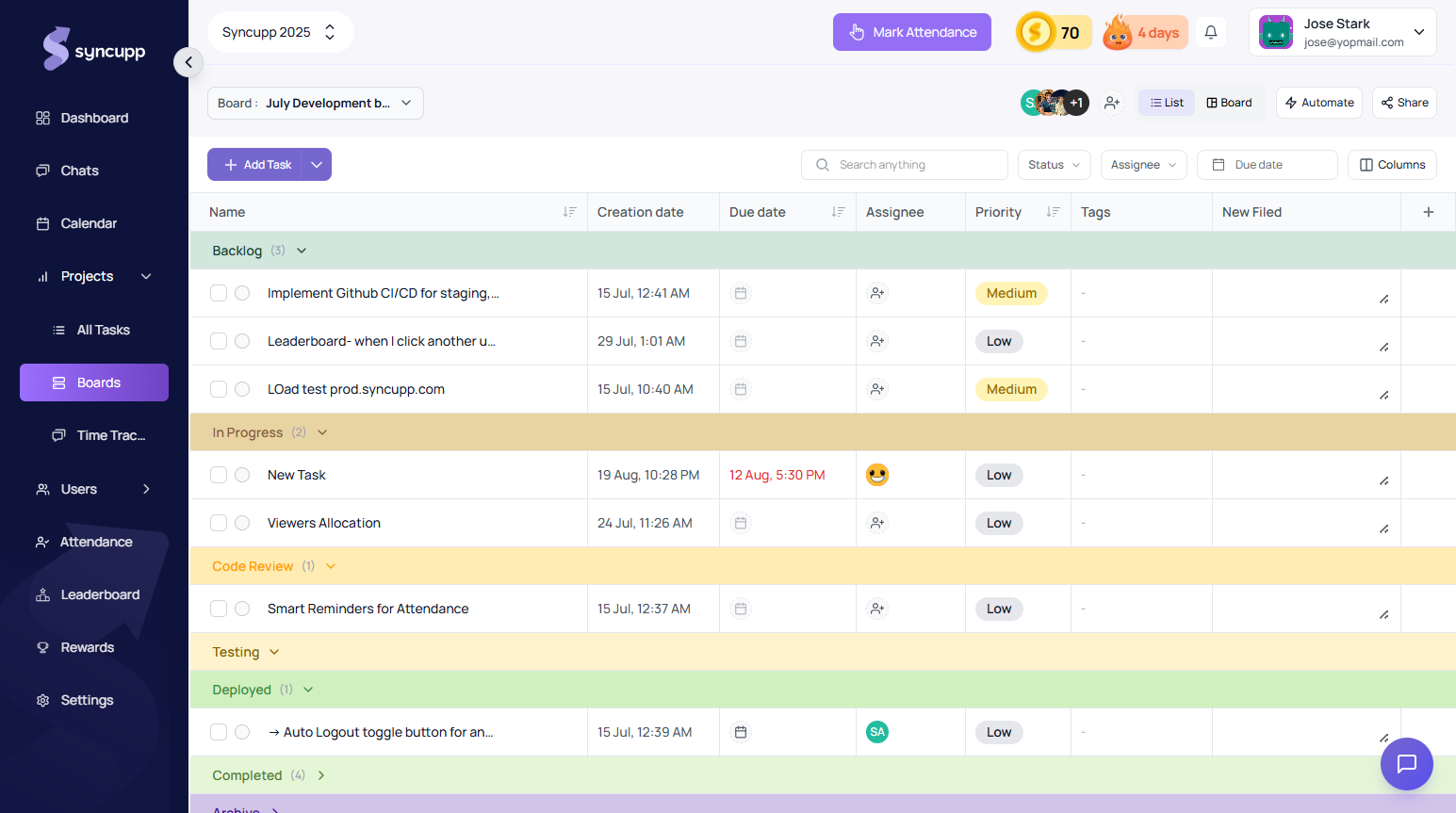
- Section Breakdowns: Expand or collapse lifecycle stages (e.g., Backlog, In Progress, Code Review, Deployed, Completed) to focus on active sprints.
- Inline Metadata Editing: Quickly inspect and adjust priorities (High, Medium, Low), assignees, and deadlines in a spreadsheet-like view.
- Member Quick Filters: Filter deliverables instantly by assignee chips in the header (e.g. Super Admin, Nikhil Ahlawat, Ritwik Ahlawat).
- Fast Task Creation: Click Add new task under any section to immediately log items without interrupting your workflow.